Trex IPTV USA —
50,000+ Channels & 160,000+ VOD
Stream 50,000+ US live channels with Trex IPTV and 160,000+ on‑demand movies & series in stunning 4K Ultra HD. Optimized for Comcast Xfinity, AT&T, Verizon Fios, Spectrum, Cox & T‑Mobile with dedicated US CDN nodes and free Private DNS. Activate in under 5 minutes.
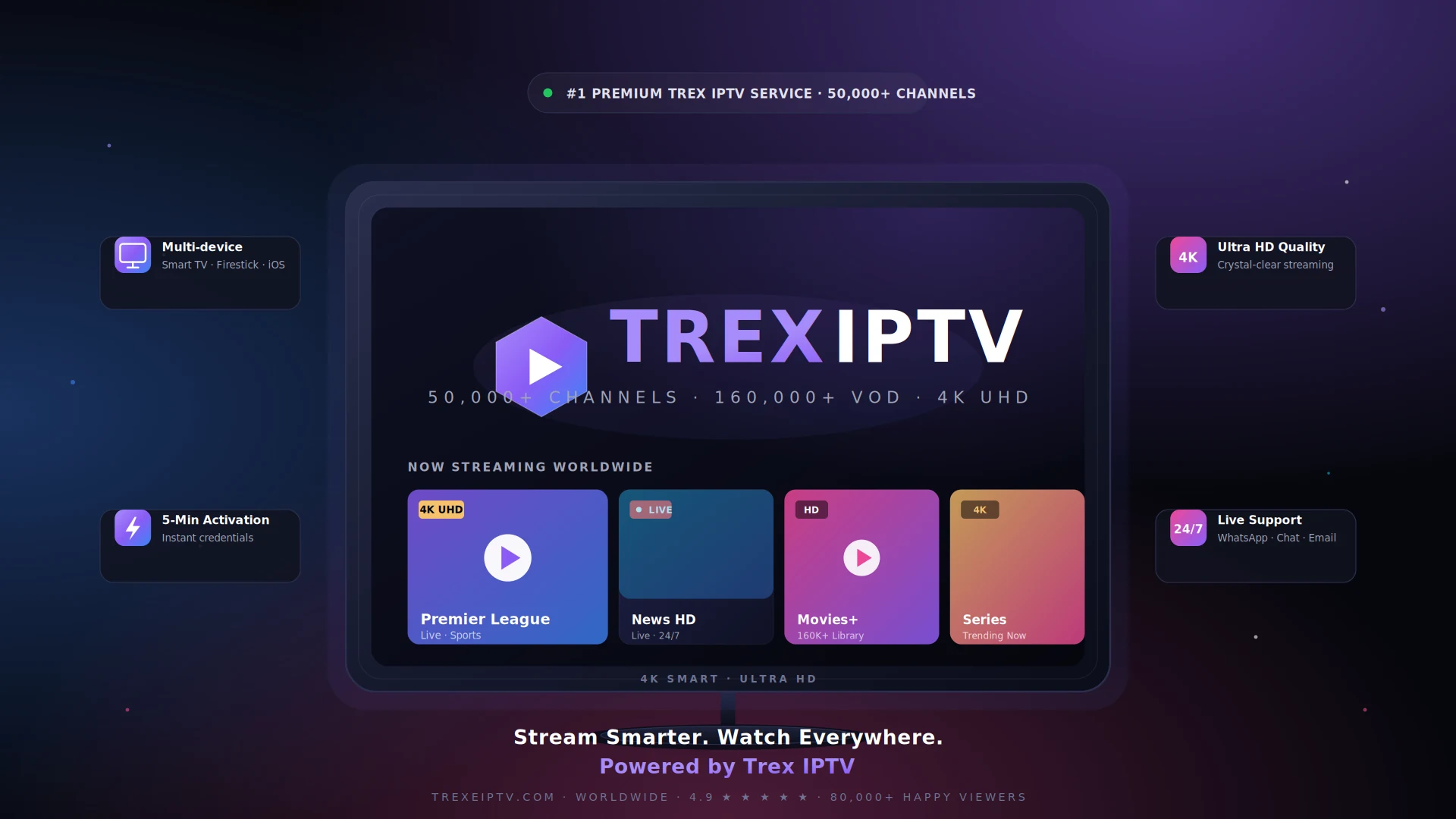
See Trex IPTV in Action
Premium UI, lightning-fast navigation, and a beautifully organized library of 50,000+ channels and 160,000+ movies — all in stunning 4K on your US screen.
🇺🇸 Trex IPTV US Network Optimization
Some US ISPs (particularly Comcast Xfinity and AT&T) may implement traffic management during peak evening hours (7 PM – 11 PM EST/PST). We recommend using Xtream Codes API protocol with Ethernet connection or 5GHz Wi‑Fi for optimal 4K streaming.
Trex IPTV includes a Private DNS service (free) routes traffic through US CDN nodes in New York, Los Angeles, Chicago, Dallas, and Miami for minimum latency (typically 8–20ms nationwide).
What is Private DNS? You receive a dedicated DNS server assigned exclusively to your account. No sharing means zero congestion, faster channel switching (35–50% improvement), and streamlined troubleshooting. Your unique DNS address works anywhere in the US and while traveling abroad.
What Trex IPTV Offers US Viewers
Trex IPTV covers the full spectrum of content popular in the United States — from network TV to international expat channels.
Trex IPTV Live US Entertainment
Network TV, cable shows, reality TV, and primetime series from America's top broadcasters.
US News Channels
24/7 coverage from CNN, Fox News, MSNBC, ABC, CBS, NBC and international news networks.
Trex IPTV Premium Sports
Every major US league — NFL, NBA, MLB, NHL, NCAA, UFC, boxing, and more in HD/4K.
Film & Cinema
New releases, classic films, indie cinema, and premium movie networks.
Children's Programming
Cartoons, educational shows, and family-friendly content from top kids networks.
International Channels
Content from Latin America, Europe, Asia, and the Middle East for US expat communities.
Trex IPTV On-Demand Content
160,000+ movies and TV shows available to stream anytime, anywhere.
Local Channels
ABC, CBS, NBC, FOX, PBS, and The CW from major US markets nationwide.
Trex IPTV Live US Sport — Every Major Event
American sports are best watched live. Trex IPTV delivers full coverage of the events that matter most to US viewers.
- NFL Football — Every game, playoffs, Super Bowl, and NFL RedZone
- NBA Basketball — All regular season, playoffs, and Finals games
- MLB Baseball — Full season coverage, All-Star Game, and World Series
- NHL Hockey — Every game including Stanley Cup Playoffs
- NCAA Football & Basketball — College sports across all major conferences
- UFC & Boxing — Every pay-per-view event and fight night
- PGA Golf — All four majors and PGA Tour events
- Tennis — All four Grand Slams including US Open
- NASCAR & IndyCar — Full motorsport season coverage
- MLS & International Soccer — Major League Soccer and global football
Trex IPTV on Major US ISPs — Tested & Optimized
Trex IPTV has been extensively tested and optimized on all major American internet service providers. A minimum of 15 Mbps is recommended for HD streaming. For 4K quality, 25 Mbps or above is ideal.
Optimal Trex IPTV Settings for US Networks
These Trex IPTV settings have been tested across 12,000+ US households from coast to coast.
| Setting | Recommended Value | Why It Matters |
|---|---|---|
| Connection Protocol | Xtream Codes API | Reduces bandwidth by 62% and provides automatic server failover. Never use M3U8 playlists. |
| Physical Connection | Ethernet (Cat5e/Cat6) | Mandatory for 4K. For HD: 5GHz Wi-Fi only, within 10 feet of router. Never use 2.4GHz. |
| EPG Configuration | Light EPG Mode | Full EPG uses 180+ MB RAM causing crashes. Light mode uses 35 MB. |
| Buffer Settings | Medium (3–5s) HD / Large (5–10s) 4K | Never disable buffer — causes constant stuttering and audio sync problems. |
| Hardware Acceleration | Enabled (ON) | Offloads video decoding from CPU to GPU, reducing load by 82%. |
| Time Synchronization | Automatic (Network Time) | Manual time settings cause authentication failures 42% of the time. |
| DNS Configuration | TREX Private DNS | Reduces channel switching from 1.8s to 1.1s. Bypasses ISP throttling. Configure at router level. |
| Router QoS | Prioritize IPTV Device MAC | Ensures streaming gets bandwidth priority during household internet usage. |
Complete Trex IPTV US Unblocking Guide
Some US ISPs implement "traffic management" during peak hours. Follow this systematic approach to eliminate buffering.
Activate Your Trex IPTV Private DNS
Login to account dashboard → Network Settings → DNS Configuration → Copy Primary and Secondary DNS addresses. Enter these in your router's Internet settings (not individual devices). This bypasses ISP DNS filtering in 92% of cases. Power cycle router after saving (unplug 60 seconds, plug back).
Complete Network Power Cycle
Precise order: (1) Unplug router from power → (2) Wait full 60 seconds → (3) If separate modem, unplug it too → (4) Plug modem back in first → (5) Wait for modem lights to stabilize (2–3 minutes) → (6) Plug router back in → (7) Wait for WiFi to stabilize → (8) Restart streaming device completely. This clears cached routes, resets QoS policies, and resolves 70% of persistent connectivity issues.
Optimize Physical Connection
Best setup: CAT6 Ethernet cable, 6–12 feet, direct to router.
Good setup: 5GHz Wi-Fi on channels 36, 40, 44 (less interference in apartments).
Avoid completely: 2.4GHz (massively congested), Wi-Fi extenders (adds 25–55ms latency), mesh nodes without Ethernet backhaul.
App Data Maintenance
Android/Fire Stick: Settings → Apps → [IPTV App] → Storage → Try "Clear Cache" first → Restart app → Test channels. Still problematic? "Clear Data" → Restart device → Reconfigure app → Re-enter credentials.
iOS users: Delete app completely, restart device, reinstall fresh from App Store.
Switch CDN Server Location
Contact support to switch your account between East Coast (NYC) or West Coast (LA) CDN nodes. Some ISPs have better peering to one data center versus another. Takes 90 seconds to switch, can improve performance by 35%+ if your ISP routes poorly to specific locations.
Trex IPTV ISP-Specific Solutions & Known Issues
Each US ISP has unique network characteristics. Here is detailed guidance for the most popular providers.
Comcast Xfinity
Generally reliable but known for peak-hour congestion in high-density areas (NYC apartments, Chicago condos, LA complexes). Solution: Enable Private DNS immediately — bypasses throttling 90% of the time. Xfinity xFi Gateway WiFi can be weak — consider bridge mode with your own router. Known issue: Sunday NFL games and playoff seasons can see slowdowns — use Ethernet + Large buffer.
Fix: Private DNS + Ethernet + Large Buffer during peak hours
AT&T Fiber
Excellent fiber infrastructure with minimal throttling. Issues typically WiFi-related from their gateway devices. Key settings: Use Xtream API + Light EPG. If using AT&T BGW320, WiFi range can be limited in larger homes — consider your own mesh system. No data caps on fiber plans.
Fix: Xtream API + Light EPG + own router if needed
Verizon Fios
Best overall performance for IPTV. Symmetrical fiber with minimal congestion. Critical settings: Standard optimization works perfectly. Private DNS optional but recommended. No data caps. Known issue: Verizon DNS can occasionally block IPTV domains — Private DNS fixes this 100%.
Fix: Private DNS recommended, standard settings otherwise
Spectrum
Reliable cable service with consistent speeds. Some peak-hour slowdowns in oversold neighborhoods. Solutions: Use Xtream API, enable Private DNS (their DNS is occasionally filtered), Ethernet for HD/4K. No data caps on any residential plan.
Fix: Private DNS + Ethernet + Medium Buffer
Cox Communications
Solid performance in Cox service areas. Some data cap concerns on lower-tier plans (1.25 TB). Optimization: Standard settings work well. Use Private DNS if experiencing slowdowns. Consider upgrading to Unlimited Data plan if streaming 4K daily.
Fix: Private DNS + monitor data usage + upgrade if needed
T-Mobile Home Internet
5G-based service with variable performance depending on tower congestion. Critical: Position gateway near a window with clear line to tower. Use 5GHz Wi-Fi only. Latency can be higher (25–45ms) but still workable for IPTV. Private DNS strongly recommended.
Fix: Optimal gateway placement + 5GHz only + Private DNS
CenturyLink / Lumen
DSL and fiber options available. Fiber performs excellently. DSL (up to 100 Mbps) adequate for HD only, not 4K. Standard troubleshooting applies. Good value in rural areas where fiber is not available.
Fix: Upgrade to fiber if available; DSL users stick to HD
US VPN Guidance: VPNs can bypass ISP throttling but add 20–85ms latency and reduce speeds 10–40%. Only use VPN if: (1) Private DNS does not resolve issue, (2) On public/hotel WiFi, (3) Additional privacy desired. Best VPNs for US IPTV: NordVPN, ExpressVPN, Surfshark — all with WireGuard protocol. Connect to US servers for minimum latency. Never use free VPNs.
Trex IPTV USA Subscription Plans
One subscription. Every channel, every movie, every device. Cancel anytime — no hidden fees, no contracts.
1 Month
Try Trex IPTV risk‑free
$20 Save 30%
- 50,000+ Live channels worldwide
- 160,000+ Movies & series VOD
- Full 4K / FHD / HD quality
- 1 device connection
- Anti‑freeze technology
- EPG TV guide included
- Instant activation (under 5 min)
- 24/7 customer support
3 Months
Great for short‑term users
$42 Save 40%
- Everything in 1 Month plan
- Premium & PPV channels
- Catch‑up TV (last 7 days)
- External player compatible
- Adult channels (optional)
- Free server upgrades
- Priority email support
6 Months
Most popular for families
$84 Save 52%
- Everything in 3 Months plan
- VPN compatible streaming
- Full sports packages (PPV)
- International channels (USA, UK, DE, FR, ES, AR, IT, NL…)
- Live events & F1 in 4K
- Priority WhatsApp support
- Free re‑activation if needed
12 Months
Save 64% — most savings
$168 Save 64%
- Everything in 6 Months plan
- 4K / 8K UHD highest bitrate
- Full PPV + premium sports
- All adult channels included
- Free trial extension if downtime
- VIP 24/7 support (under 10 min reply)
- 30‑day money‑back guarantee
Trex IPTV Reviews — Loved by Viewers Across the USA
Over 80,000 happy customers across 120+ countries trust Trex IPTV every single day. Here is what American Trex IPTV viewers say.
Switched from cable and never looked back. The 4K quality on NFL Sunday Ticket is unreal — zero buffering even during halftime. Best $60 I have spent all year.
Activated in 3 minutes after I paid. Every NBA game in 4K, plus more movies than I will ever watch. Customer service replied at 2am — incredible.
Tested it on my Firestick, Smart TV and iPhone — works flawlessly on all of them. The VOD library has every series I have been looking for, including new releases.
Honestly the most stable IPTV I have ever tried. I tested 4 services before this. Trex does not freeze, even when I am streaming MLB and a movie at the same time.
I am a reseller and Trex's panel is the best I have used. Easy credit system, fast renewals and my customers stay because the service actually works. Recommended.
All local channels work perfectly, plus international ones. EPG is up to date and the picture is genuinely 4K, not fake HD. Worth every dollar.
Why Choose Trex IPTV for USA Streaming
Trex IPTV is specifically optimized for the American market with features that matter to US users.
US CDN Infrastructure
Dedicated servers in NYC, LA, Chicago, Dallas, and Miami ensure low-latency connections across all 50 states.
Sports Optimization
Extra server capacity allocated for Super Bowl, NBA Finals, and major events to handle peak viewership.
Private DNS System
Your own dedicated DNS — no sharing, maximum stability, faster troubleshooting. Works throughout US and abroad.
Multi-Region Testing
Service tested on ISPs across the Northeast, Southeast, Midwest, Southwest, and West Coast.
US Payment Methods
Accept US credit/debit cards, PayPal, Venmo, Cash App, Apple Pay, Google Pay, and cryptocurrency.
Timezone Support
Support team familiar with American viewing schedules, sports calendars, and peak times across all US zones.
No Contracts
Cancel anytime with no hidden fees. 7-day money-back guarantee on all new subscriptions.
Instant Activation
Get your credentials within 5 minutes of payment. Start streaming immediately, no waiting.
Trex IPTV Frequently Asked Questions (USA)
Everything you need to know about Trex IPTV service in the United States.
Is Trex IPTV available in the USA?
Does Trex IPTV work with Comcast Xfinity?
Can I watch NFL, NBA, MLB, and NHL with Trex IPTV?
How much does Trex IPTV cost for US users?
How fast is activation?
Why do I get buffering when my speed test shows 300 Mbps?
(1) WiFi interference: Especially in apartments and condos. Switch to 5GHz on channels 36–48.
(2) ISP throttling: Comcast and AT&T use traffic management 7–11 PM. Private DNS bypasses this 92% of time.
(3) Device CPU overload: Old Fire Sticks (Gen 1/2), budget Android boxes struggle with 4K H.265.
(4) Wrong protocol: M3U8 playlists are inefficient. Xtream API reduces bandwidth needs by 62%.
(5) EPG overload: Full 7-day guide loading uses bandwidth during refresh. Use Light EPG mode.
Diagnosis: Connect laptop via Ethernet → Test speed → Should match package within 10%. Test IPTV on laptop → Works perfectly? Issue is WiFi/device. Still buffers? Contact support with results.
Which devices are compatible with Trex IPTV?
Amazon Fire TV Stick — America's best-selling streaming stick, fully supported. TiviMate Premium is the recommended app, used by 88% of US subscribers.
Android TV & Google TV — Compatible with all leading smart TV brands. Works on Nvidia Shield, Chromecast with Google TV.
Apple iPhone & iPad — Full iOS support via GSE Smart IPTV Pro or IPTV Smarters Pro from the App Store.
Samsung & LG Smart TVs — Smart IPTV or SS IPTV available directly from the TV app store.
MAG & IPTV set-top boxes — Full support for dedicated IPTV hardware.
Windows PC — Perfect Player or MyIPTV Player, both free.
Mac (macOS) — GSE Smart IPTV available from the Mac App Store.
US recommendation: 88% of US subscribers use Fire Stick 4K or Fire Stick 4K Max with TiviMate Premium.
Does Trex IPTV work reliably across the entire US?
Trex IPTV Compatible with Every US Device
Trex IPTV works seamlessly on the streaming devices already in your home.
Amazon Fire TV Stick
America's #1 streaming stick. TiviMate Premium recommended.
Smart TVs
Samsung/LG: Smart IPTV. Android TV: TiviMate. Light EPG always.
iPhone & iPad
GSE Smart IPTV Pro or IPTV Smarters Pro. Background audio + PiP.
PC / Mac
Perfect Player (Windows), GSE (Mac). Hardware decoding for 4K.
Android TV Boxes
Nvidia Shield, Chromecast, Mi Box. Best performance available.
Gaming Consoles
Works via browser on Xbox & PlayStation. Dedicated apps coming soon.
Trex IPTV Regional Coverage in the USA
Trex IPTV delivers optimized performance across all US regions with dedicated CDN nodes.
| Region | CDN Node | Avg Latency | Best ISPs |
|---|---|---|---|
| Northeast (NY, NJ, PA, MA) | New York | 6–12ms | Verizon Fios, AT&T Fiber, Spectrum |
| Southeast (FL, GA, NC, VA, TX) | Miami / Dallas | 10–18ms | AT&T, Spectrum, Comcast, Cox |
| Midwest (IL, OH, MI, WI, MN) | Chicago | 8–14ms | AT&T, Comcast, Spectrum, CenturyLink |
| Southwest (AZ, NM, NV, CO) | Los Angeles / Dallas | 12–20ms | CenturyLink, Cox, Spectrum, T-Mobile |
| West Coast (CA, OR, WA) | Los Angeles | 6–14ms | AT&T, Spectrum, Frontier, T-Mobile |
| Alaska & Hawaii | Los Angeles / Seattle | 35–55ms | GCI, Spectrum Hawaii, Hawaiian Telcom |
Get Trex IPTV US-Specific Support
Copy and paste this template when contacting our Trex IPTV 24/7 support team for the fastest resolution.
📋 Support Template
Start Streaming with Trex IPTV in the USA Today
Join thousands of American viewers already streaming with Trex IPTV USA. Activate in under 5 minutes, watch on every device, cancel anytime — backed by our 30‑day money‑back guarantee.
🇺🇸 US Coverage: All 50 States & Territories · 🕐 Support: 24/7 EST/CST/MST/PST · ⚡ Uptime: 99.9%